Sleep with a timer
Start and stop sleep with a timer, or add it afterwards as a finished entry.
Vexur Product · NapNest
Log sleep, feeds and diapers as they happen. NapNest gives your family a shared view of the day and turns a second phone into a live baby monitor.
Built by Vexur Software in Germany.
Sleeping for
01:24:07
Example view
Entry types
Features
Customize quick actions, correct past entries and set reminders. The detailed history keeps the information you need close at hand.
Start and stop sleep with a timer, or add it afterwards as a finished entry.
Keep breastfeeding, bottles with amounts, pumping and solids in one place.
Diapers, baths, tummy time, activities and notes belong here too.
Record temperature, medication and growth measurements in a clear way.
For medication, other entry types or free text, at fixed times or at an interval within a daily time window. A help, not a guaranteed alarm.
Tiles for your most common entries, sorted into groups such as sleep, feeding or care. Bottle, nursing and solids can be combined into one “Feeding” tile.
Duration, amounts, sides, temperature, dose and notes at a glance, plus the time since the previous entry of the same kind. Pick one day or several.
Correct times, edit entries or plan up to 31 days ahead.
Invite people by email or link, as caregivers or view only.
Changes by others appear live. Entries recorded offline sync as soon as you are back online.
A day
Morning
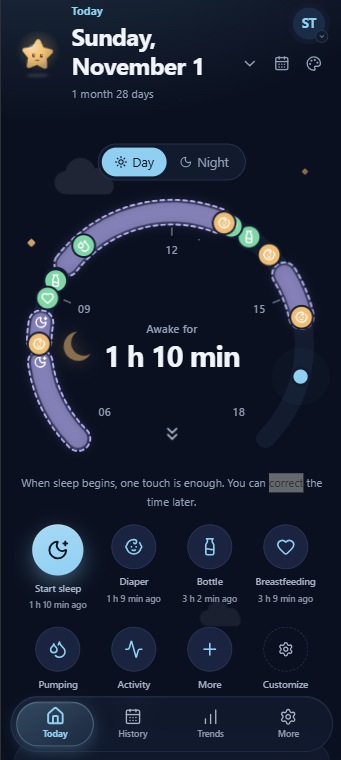
The sleep timer ends and the day begins. The day view shows how long your child has been awake.
Daytime
Log breastfeeding, bottles, solids and diapers in seconds with the quick tiles.
Midday
Start the timer when your child falls asleep. All caregivers see it live, even on other devices.
Evening
Bedtime is recorded. History and trends help you spot patterns without pressure.
Day views
Pick the view that suits you, or hide it. The choice is saved in your account. The time span can be set to 24 hours or 12 hours.
The day as a circular arc with awake and sleep time.
The day as a smooth curve like the path of the sun.
The day as a timeline with a summary.
Wake-up, naps and bedtime as a line.
Baby monitor
Put a spare phone or an IP camera in the nursery and watch or listen live from your own phone. Smartphone cameras connect directly over Wi-Fi first, or remotely when remote access is enabled; IP cameras stay local. If your baby cries or it gets loud, every caregiver gets an alarm.
The baby monitor is an aid and does not replace supervision. Picture and sound are never recorded or stored.
Nursery
Your phone
Sound level
Set up a spare phone in the nursery or add an IP camera (RTSP). Watch picture and sound from your own phone.
Picture and sound travel directly and encrypted over Wi-Fi first. With remote access enabled, a server relays encrypted smartphone camera data without decrypting it.
Loud noises and crying raise an alarm on all caregivers’ phones, even when you are away. Detection runs on the camera phone, no audio leaves it.
Play white noise, waves and more through the camera phone, with a sleep timer.
The camera screen stays dark. You can also just listen, even with your own screen locked.
Choose who may watch. The camera shows when someone is watching, and every viewing session is logged.
Together
Capture sleep, feeding, bottles and other moments with a timer or a quick entry.
Share records and timers with the people who care for your child together.
Review history and insights to put everyday life into perspective.
Caregivers add and edit entries and start timers. “View only” shows everything but changes nothing.
Invitations expire and can be used once. Open invitations can be revoked.
Several child profiles with quick switching. Running timers of other children stay visible, and the child you chose last is restored on other devices too.
Changes by other caregivers appear live. After working offline you can review conflicts and decide what applies.
Trends
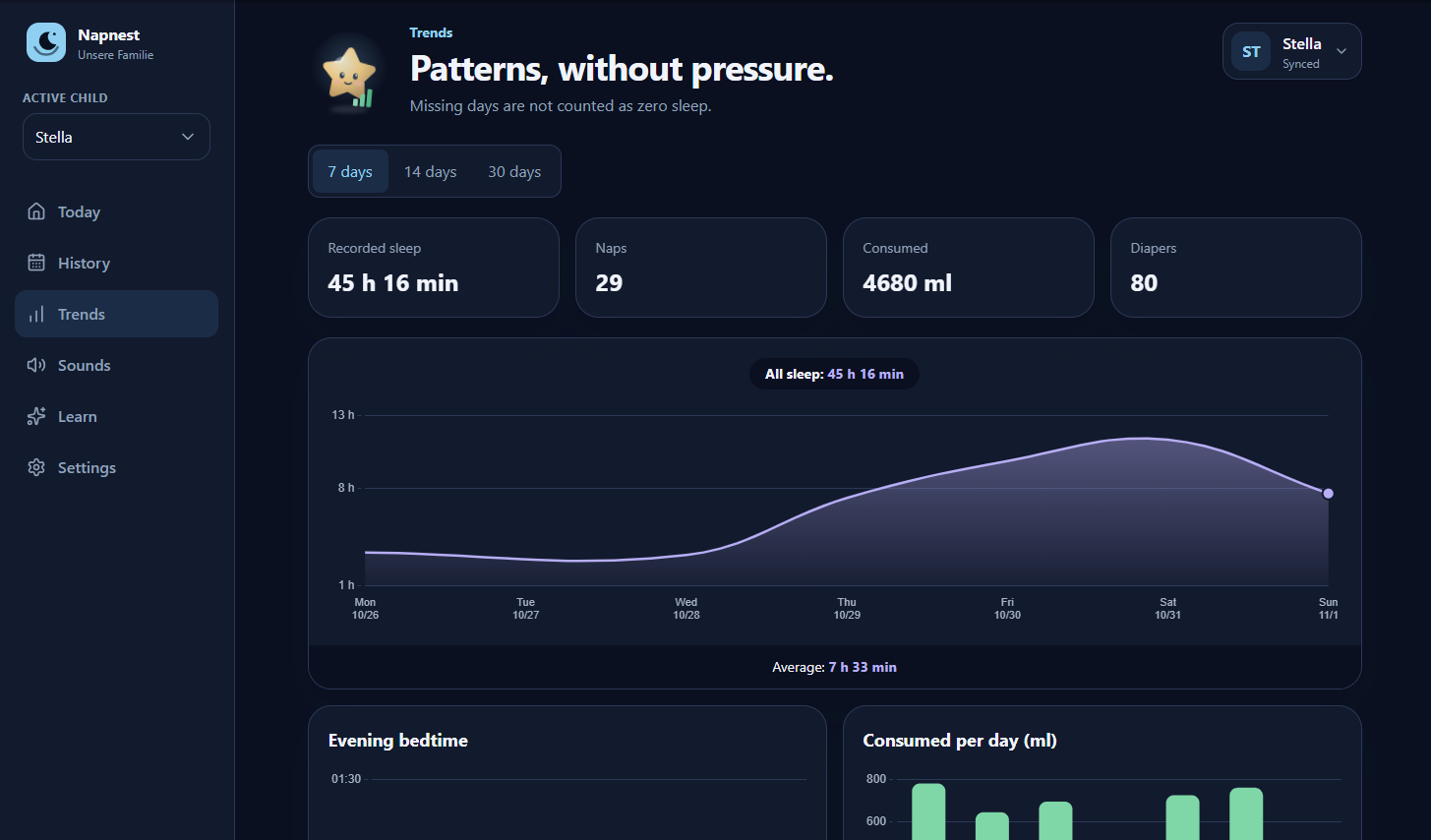
Missing days are not counted as zero hours of sleep. Gaps stay visible so the insights stay honest.
Sleep per day
Average per recorded dayØ 13.9 h
Example illustration, not real data.
Privacy and control
NapNest works without advertising and leaves you in control of your records.
No advertising and no external fonts.
Only anonymized, cookieless usage statistics. You can switch them off in the settings.
Your data can be exported as JSON.
Entries are saved on the device first and synced later.
Notifications only start after you agree. You can change this at any time.
Deletion is completed with a confirmation link from an email. Children can be transferred beforehand.
NapNest
NapNest
Open NapNest in your browser or learn more about the other products by Vexur Software.